Business text messaging is a company texting its customers, leads and staff from a business number, at scale, with their consent. A business text messaging service gives you the tools to do that: bulk sends, automated follow-ups, a shared inbox for replies, and the records you need to stay within the rules.
This guide covers what business texting is used for, what to look for in a service, how it compares to email, the consent rules, and example messages you can adapt.
What is business text messaging?
Business text messaging (also called business SMS or corporate text messaging) is SMS and MMS sent by a company for a business purpose. It differs from personal texting in three ways: it reaches hundreds or thousands of people, it runs from a registered business number, and every recipient has agreed to receive it.
Businesses text to:
- confirm appointments and send reminders
- follow up with new leads within minutes of a form fill
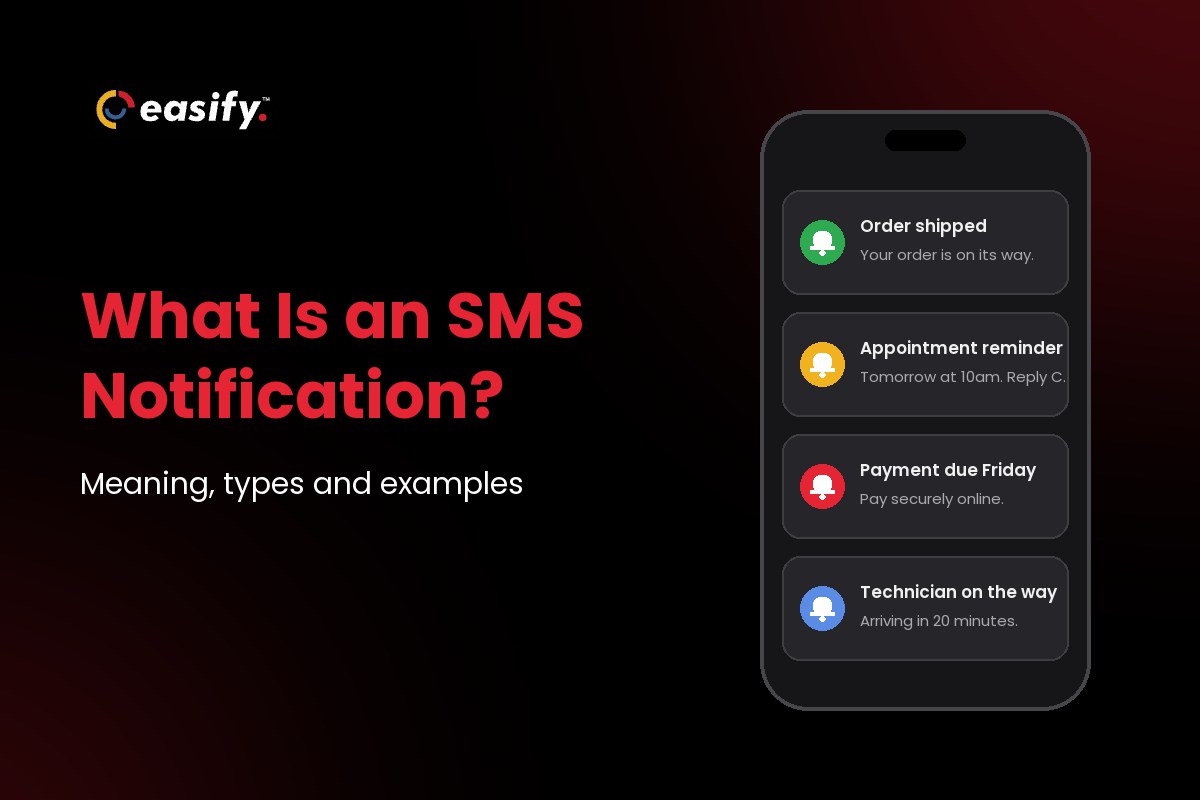
- share order, shipping and payment updates
- answer customer questions without a phone call
- announce sales, events and new listings to opted-in contacts
- alert staff to shift changes or urgent issues
Why businesses text instead of calling or emailing
A text reaches the phone people already carry. There is no inbox to dig through and no voicemail to return, and the customer can reply between meetings in a few words.
Calls interrupt and often go unanswered. You leave a voicemail, they forget, you call again. Email is better for long content, but a short reminder or a quick question gets buried. Texts suit messages that are short, timely and need a reply: “Reply C to confirm”, “Your order shipped”, “Is 2 PM still good?”
For lead-driven businesses such as insurance agencies, mortgage brokers and real estate teams, speed matters most: the business that replies first to a new lead usually gets the conversation.
Types of business text messages
| Type | What it does |
|---|---|
| Promotional | Sales, offers and seasonal campaigns sent to contacts who opted in to marketing texts. |
| Appointment reminders | Automated texts 24 to 48 hours before a booking, with a reply to confirm or reschedule. |
| Lead follow-up | A welcome text when someone fills in a form, then timed check-ins if they don’t reply. |
| Order and payment updates | Shipping confirmations, delivery windows, invoice and due-date reminders. |
| Customer support | Customers text a question and your team answers from a shared inbox. |
| Feedback requests | A short survey link after a visit, delivery or service call. |
| Internal alerts | Shift changes, new-lead alerts and urgent notices to staff. |
How different industries use business texting
- Insurance: quote follow-ups, renewal reminders and claim status updates. See SMS marketing for insurance agencies.
- Real estate: new listings and open house details for buyer lists, showing confirmations.
- Mortgage and lending: application status, document requests and closing reminders.
- Healthcare: appointment reminders and check-in instructions.
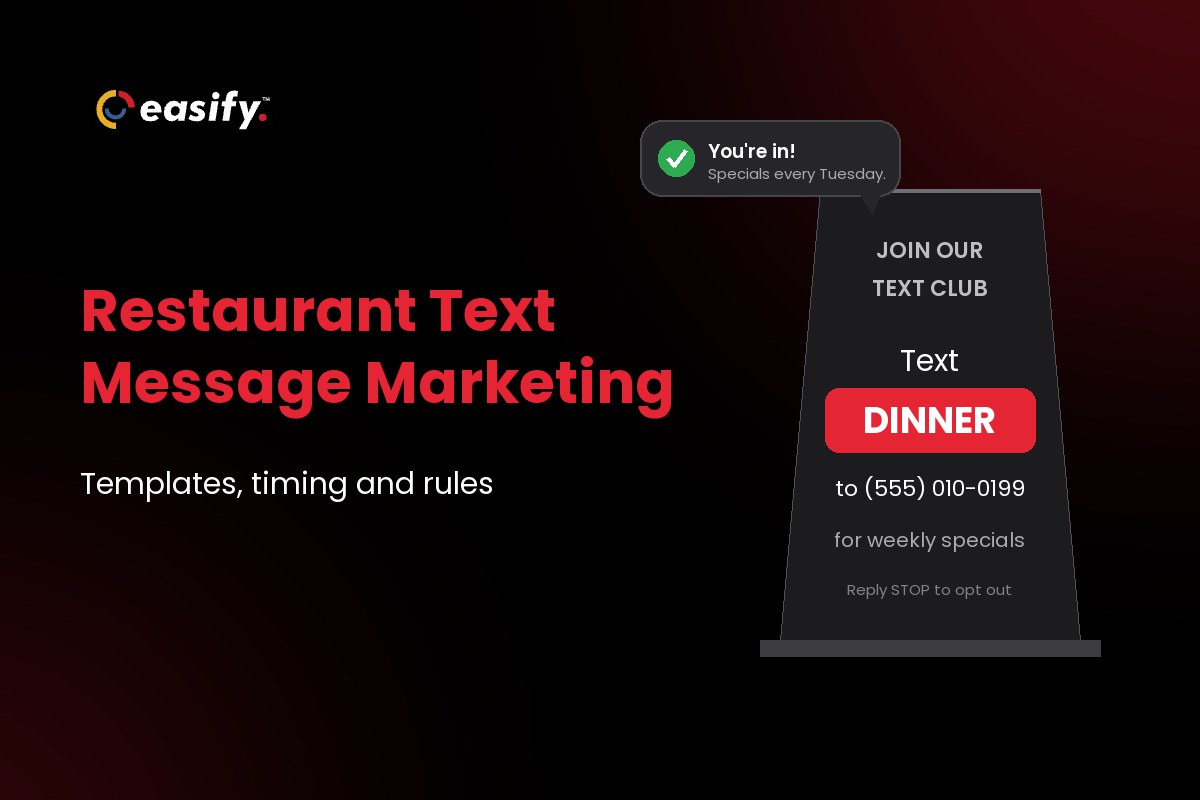
- Restaurants: reservation confirmations, waitlist alerts and specials.
- E-commerce: order updates, cart reminders and re-engagement offers.
- Home services: technician arrival windows and post-job feedback.
- Schools: closures, events and reminders for parents.
What to look for in a business text messaging service
Compare capabilities, not only price. A cheap service without automation or proper opt-out handling costs more in staff time and blocked messages.
| Feature | Why it matters |
|---|---|
| Bulk SMS and MMS | One message to a whole list or segment, with images when a picture helps. |
| Two-way texting | Replies land in one inbox your team shares, not on someone’s personal phone. |
| Automation | Welcome texts, reminders and follow-ups that send on a trigger or a delay. |
| Scheduling | Write campaigns ahead and send them inside allowed hours. |
| Contacts and segments | Import lists, tag by source or stage, and keep opt-outs off every future send. |
| Templates and personalization | Reusable messages with the contact’s name and details filled in. |
| Integrations and API | Texts sent from, and logged back to, your CRM or booking tool. |
| Analytics | Delivery, failures and replies per campaign, so you can see what works. |
| 10DLC registration help | US carriers block texts from unregistered 10-digit numbers, so registration support saves weeks. |
| Clear pricing | Know what a message, a number and an extra user cost before you commit. |
| Other channels | Email and calling in the same platform, so a conversation doesn’t split across tools. |
For larger teams with multiple departments, see enterprise text messaging solutions.
How Easify handles business text messaging
Easify brings SMS, MMS, calling, email, bookings and automation into one platform, built for lead-driven businesses that need to reply fast.
1. One inbox for every conversation
All client texts, replies and follow-ups sit in one dashboard with the full history. No more scrolling a personal phone to find what a lead said on Tuesday, and the mobile app sends real-time notifications so you can reply on the go.
2. Automated lead follow-ups
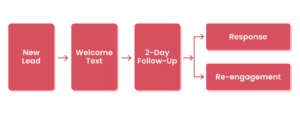
With Easify automation, a new lead gets a welcome text the moment they submit a form. If they don’t reply in two days, a check-in goes out automatically.
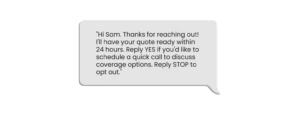
Example: an insurance agency sends this when someone requests a quote:
Two days later, if there’s no response:
“Just checking in. Do you have any questions about your quote?”
For more workflows, see our guide to automated texting services.
3. Works with your CRM
Easify connects through its API and Zapier, with integrations for Zoho CRM, GoHighLevel and ActiveCampaign, so texts go out from the workflow you already use. Step-by-step guides: Zoho CRM and GoHighLevel.
4. See what works
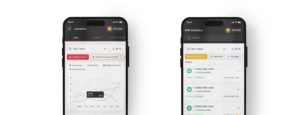
SMS analytics show delivered, failed and processing messages per campaign and per day, so you can spot a delivery problem before it costs you a week of leads.
5. Help with the setup that blocks most senders
Easify assists with 10DLC registration (charges apply) and scrubs lists against mobile, email and Do Not Call checks. Plans start at $99 a month; see pricing.
Start a 7-day free trial, no credit card required.
Business texting vs email
- Use texts for anything short and time-sensitive: reminders, confirmations, payment alerts, a quick question to a lead.
- Use email for detail: newsletters, onboarding guides, catalogs, anything longer than one screen.
- Use both for campaigns: the email carries the full offer, and a text reminds the people who didn’t open it.
More in SMS marketing vs email marketing.
Consent and compliance rules for business texting
Texting rules are stricter than email rules, and carriers enforce their own on top of the law.
- Consent: federal law requires prior express written consent for marketing texts sent with an autodialer, and carriers expect written consent for every marketing text, so get it first. Keep a record of when and how each person agreed.
- No B2B exception: the TCPA has no business-to-business exception for texts to mobile numbers.
- Quiet hours: send marketing texts between 8am and 9pm in the recipient’s time zone. Florida and Oklahoma limit them to 8am to 8pm and three messages per 24 hours on the same topic.
- Opt-out: include “Reply STOP to opt out” on marketing texts, and honor an opt-out sent by any reasonable means promptly, and never later than 10 business days.
- Purchased lists: carrier rules don’t allow texting purchased, rented or shared lists. You need opt-in your own business collected.
- 10DLC: register your brand and each campaign before you send from a 10-digit number; carriers require it and block unregistered traffic. Our 10DLC compliance guide walks through it.
Using a texting platform doesn’t make you compliant on its own: consent stays the sender’s job. Run through the TCPA checklist before your first campaign.
This section is general information, not legal advice: check state rules with your compliance counsel.
Business text message examples
Appointment reminder
“Chen Dental: Hi Marcus, reminder of your appointment tomorrow at 2 PM. Reply C to confirm or R to reschedule. Reply STOP to opt out.”
New lead welcome
“Hi Sam, thanks for reaching out to Harbor Insurance. I’ll have your quote ready within 24 hours. Reply YES if you’d like a quick call to go over coverage options. Reply STOP to opt out.”
Order update
“BrightCart: Your order #4821 has shipped. Track it here: [link]. Questions? Just reply to this text. Reply STOP to opt out.”
Payment reminder
“ABC Services: Hi James, your $320 invoice is due Friday. Pay securely here: [link]. Need help? Reply to this message. Reply STOP to opt out.”
Open house
“Maple Realty: Open house tomorrow 10 AM to 1 PM at 124 Maple Ave. Reply YES and we’ll text you the listing details. Reply STOP to opt out.”
Retail promotion
“StyleHub: Hi Sarah, our Summer Sale starts today: 25% off sitewide until midnight. Shop: [link] Reply STOP to opt out.”
Feedback request
“Thanks for visiting Northside Auto today, Lisa. How did we do? [link] (30 seconds). Reply STOP to opt out.”
Business texting best practices
- Identify your business at the start of every message.
- Keep it to one point and one call to action; check length with the SMS segment calculator.
- Personalize with the contact’s name and the detail they care about.
- Segment: a renewal reminder shouldn’t go to someone who renewed last week.
- Avoid ALL CAPS and strings of exclamation marks, and don’t use public link shorteners like bit.ly: industry guidance calls for a shortener dedicated to your business, and carrier filters often block shared ones.
- Reply fast. A lead who texts you expects an answer in minutes, not hours.
For a longer list, see SMS marketing best practices.
FAQs on business text messaging
What is a business text messaging service?
Software that lets a company send, receive, automate and track texts from a business number. It usually includes bulk sending, a shared inbox, contact management, automation and analytics.
Can I text customers from my personal phone?
You can, but you lose the history when the employee leaves, can’t automate follow-ups, and can’t register a personal mobile number for 10DLC. A business number on a texting platform fixes all three.
Is business texting legal?
Yes, with consent. Get written consent before marketing texts, send within allowed hours, and honor opt-outs promptly. See the compliance section above.
How much does business text messaging cost?
It depends on the platform and your volume; most charge per message or per credit, plus a monthly plan. Easify plans start at $99 a month.
Can business texts be automated?
Yes. Welcome texts, reminders and follow-ups can send on a trigger such as a form fill, a date or no reply after a set time.
Does business texting work with a CRM?
Yes, through integrations or an API. Easify connects with Zoho CRM, GoHighLevel, ActiveCampaign and Zapier.
Conclusion
Business text messaging works because it is short, direct and easy to answer. Pick a service that handles bulk sends, two-way replies, automation and 10DLC registration, and get consent before you text.
Try Easify free for 7 days or book a demo.
Follow us on Instagram, LinkedIn, Facebook, and YouTube for more SMS marketing tips.