An automated texting service sends text messages for you when something happens. A form is filled in, an appointment is booked, a payment is due or a lead goes quiet, and the right text goes out. You write the message and the rule once; the service handles the timing.
This guide covers how automated texting works, eight workflows businesses run with it, what to look for in a service, how to set one up, and the consent and opt-out rules that apply.
What is an automated texting service?
An automated texting service (also called an automated SMS service or auto text service) is software that sends business texts based on rules you set in advance. You choose the trigger, the message, the delay and who receives it. The platform sends it without anyone on your team pressing send.
Most businesses use three kinds of automated texts:
- Triggered texts go out when a contact does something: books, buys, signs up, misses a payment or stops replying.
- Scheduled texts go out at a set date and time, such as a reminder the day before an appointment or a renewal notice 30 days out.
- Automatic replies answer an incoming text, such as a keyword like JOIN or a common question.
Automated does not mean one-way. With two-way texting, customers reply to the same number and your team picks up the conversation from where the automation left off.
How automated texting works
Every automated text follows the same four parts:
- Trigger: the event that starts the workflow, for example a new lead from your web form or CRM.
- Delay: how long to wait before each message, for example 5 minutes, 1 day or 24 hours before an appointment.
- Message: a template with merge fields, so “Hi Sarah, your appointment is tomorrow at 2pm” fills in for each contact.
- Branch: what happens next depending on the reply. A contact who answers goes to your team; one who doesn’t gets the next follow-up.
In Easify, you build this in automation workflows: set a trigger, add actions and delays, and use if/else logic to branch the flow. The same workflow can send SMS and email, trigger AI calls and check numbers against your DNC list.
Automated text messages for business: 8 workflows
These are the workflows most businesses set up first. The “type” column matters for compliance: marketing texts need written consent and an opt-out line every time.
| Workflow | Trigger | What it sends | Type |
|---|---|---|---|
| New lead follow-up | Web form or CRM lead | A reply within minutes, then 2 or 3 follow-ups if there’s no answer | Marketing |
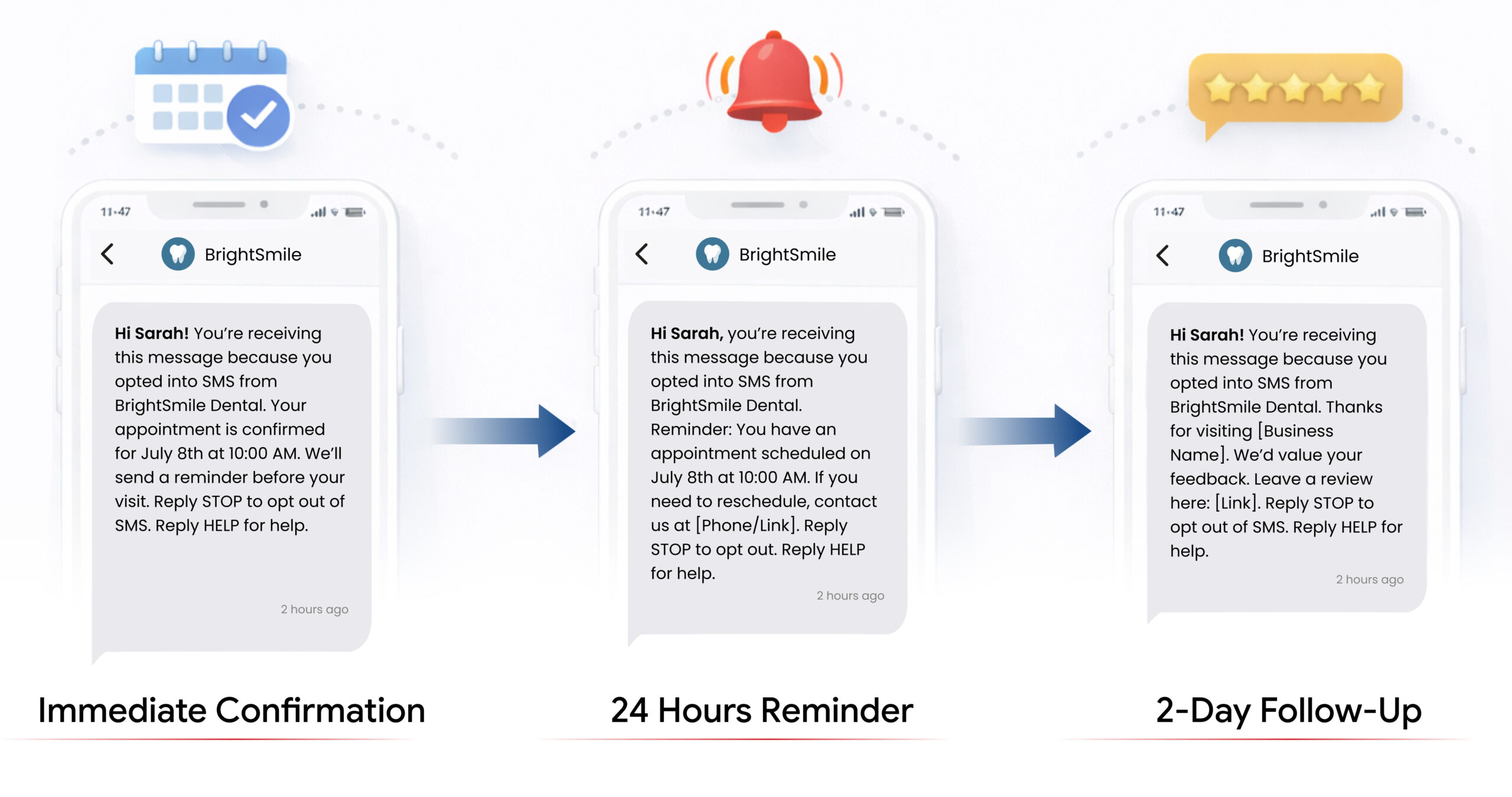
| Appointment confirmation and reminder | Booking made | Confirmation now, reminder 24 hours before | Service |
| Payment reminder | Due date approaching or missed | Reminder 3 days before, then on the due date | Service |
| Renewal notice | 30 days before a renewal date | Notice with a link or number to call | Service (marketing if it pitches an upgrade or new product) |
| Review request | Job or visit completed | Thank-you and a review link 1 or 2 days later | Marketing (treat it as one) |
| Keyword sign-up | Contact texts a keyword such as JOIN | Welcome text, adds them to a contact group | Marketing |
| Re-engagement | No purchase or reply in 60 or 90 days | A check-in or offer | Marketing |
| After-hours reply | Incoming text outside business hours | When you’ll reply, or an answer to a common question | Reply to a customer |
By industry, the first workflow usually differs: clinics start with appointment reminders, real estate agents with new lead follow-up, insurance agencies with renewal notices, and online stores with order updates. For reminder-only setups, see our guides to automated appointment and payment reminders and scheduling a daily SMS reminder.
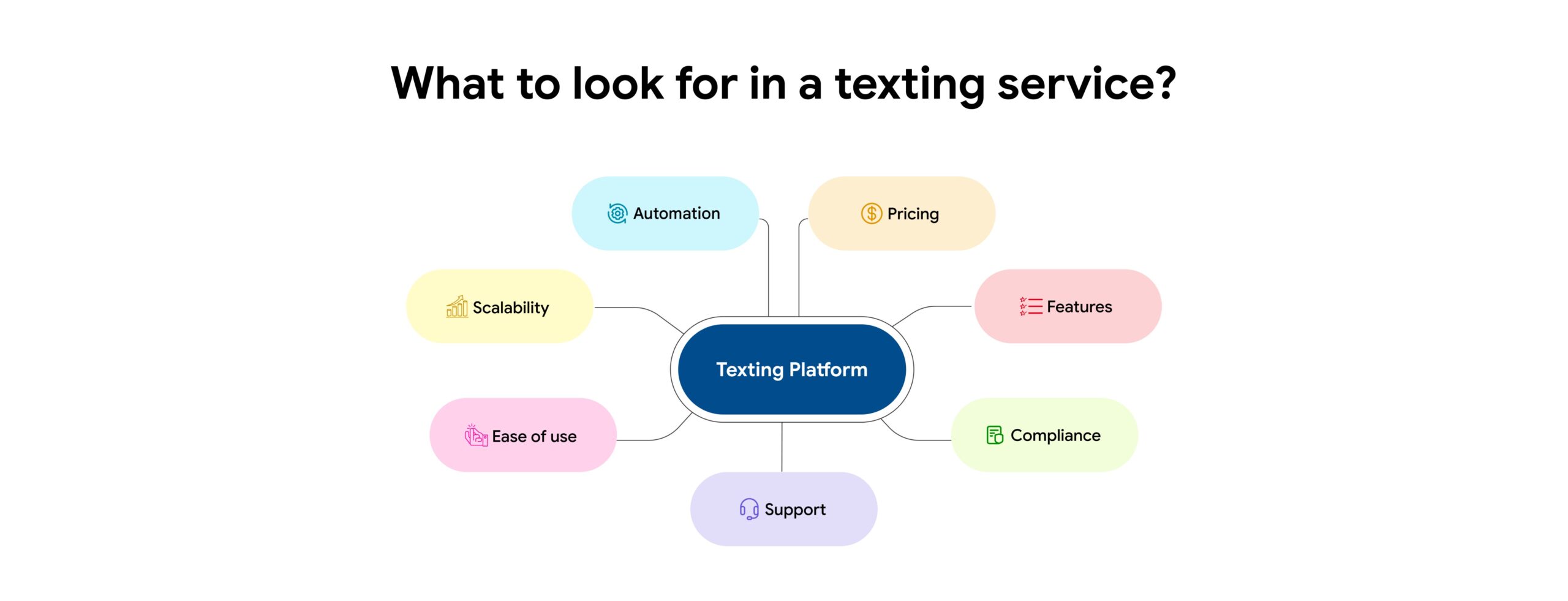
What to look for in an automated texting service
Compare services on these points before you sign up. A platform that only sends one-off blasts is a mass texting service, not an automation tool.
| What to check | Why it matters |
|---|---|
| Triggers, delays and reply branching | Without branching, a lead who already replied keeps getting follow-ups. Automation should stop or change path when someone answers. |
| Two-way texting | Replies should land in a shared inbox your team can answer from the same number. |
| Text and email in one place | Lead outreach usually needs both. One platform keeps one contact record and one opt-out list. |
| Opt-out handling | STOP and similar replies should remove the contact from every workflow automatically. |
| 10DLC registration help | Carriers block unregistered traffic from 10-digit numbers, so automations can’t run until your brand and campaign are registered. |
| Integrations | Triggers usually come from your CRM, booking tool or store. Check for native integrations, Zapier and an API. |
| Pricing model | Some services charge per message, others a monthly plan plus credits. Estimate your monthly volume first. |
| Reporting | Delivery, reply and opt-out numbers per workflow show which messages to fix. |
Here’s what Easify offers: SMS and MMS with two-way texting, email campaigns on the Enterprise plan, automation workflows, 10DLC registration support (charges apply), DNC list scrubbing, SMS analytics, and integrations including Zoho CRM, GoHighLevel, ActiveCampaign and Zapier, plus an API. Plans start at $99 a month. If you’re comparing broader marketing tools, our SMS marketing software guide covers campaign features in more depth.
How to set up automated texting for your business
- Register for 10DLC. Register your brand and each campaign before you send from a 10-digit number.
- Collect consent. Add a consent checkbox to your forms, or let people opt in by texting a keyword. Record when and how each person agreed.
- Import and segment contacts. Group them by stage: new leads, customers, past customers. Check numbers against the National Do Not Call Registry and your internal DNC list before a campaign.
- Write templates. One message per step, with merge fields for name and date. Keep each under 160 characters where you can; the SMS segment calculator shows the count.
- Build the workflow. Choose the trigger, add delays, and add a branch that stops follow-ups when the contact replies.
- Test it. Run the workflow on your own number. Check merge fields, timing and the opt-out line.
- Launch and review weekly. Look at replies and opt-outs per step. A step with high opt-outs needs a new message or a longer delay.
Compliance rules for automated texts
A mistake in a workflow repeats on every contact it reaches, so check these rules before you switch one on.
- Consent: Federal law requires prior express written consent for marketing texts sent with an autodialer, and carriers expect written consent for every marketing text, so get it first. Keep a record of when and how each person agreed.
- Replies to inbound texts: If the other person texts you first, carrier guidelines treat that as consent to reply with relevant information in that conversation.
- Opt-out: Include “Reply STOP to opt out” on marketing texts, and honor an opt-out sent by any reasonable means promptly, and never later than 10 business days.
- Opt-out line on service texts: Put “Reply STOP to opt out” in the first text of any recurring program, service texts included, and in marketing texts every time.
- STOP across workflows: If a customer replies STOP, stop all texts unless they confirm they still want service notices.
- Sending hours: Send marketing texts between 8am and 9pm in the recipient’s time zone. Florida and Oklahoma limit them to 8am to 8pm and three messages per 24 hours on the same topic (Oklahoma exempts licensed insurance agents; following its limits is the safe default). Set your workflow’s send window to match.
- Bought lists: If you buy leads, the consent has to cover texts from your business. Carrier rules (the CTIA Messaging Principles) don’t allow texting purchased, rented or shared lists: you need opt-in your own business collected.
- 10DLC: Register your brand and each campaign before you send from a 10-digit number; carriers require it and block unregistered traffic.
Our TCPA checklist and TCPA guide for text messages go into more detail.
This section is general information, not legal advice: check state rules with your compliance counsel.
Automated text message templates
Copy these and change the details. Each first message in a recurring program carries the opt-out line.
New lead follow-up (marketing)
Hi [First name], this is [Your name] at [Business]. Thanks for your request. Is now a good time for a quick call, or would you prefer a time later today? Reply STOP to opt out
Second follow-up, 1 day later if no reply (marketing)
Hi [First name], it’s [Your name] at [Business], just checking you got my message. You can book a time that suits you here: [link]. Reply STOP to opt out
Appointment confirmation (service, first text)
Hi [First name], your appointment with [Business] is confirmed for [date] at [time]. We’ll text a reminder the day before. Reply STOP to opt out
Appointment reminder (service)
Reminder: your appointment with [Business] is tomorrow at [time]. Need to reschedule? Reply here or call [phone].
Payment reminder (service)
Hi [First name], a reminder from [Business] that your payment of [amount] is due on [date]. Pay here: [link] or reply with any questions. Reply STOP to opt out
Review request (marketing)
Thanks for choosing [Business], [First name]. If you have a minute, we’d value a review: [link]. Reply STOP to opt out
After-hours auto-reply
Thanks for your text. Our team is offline until [time] and will reply then. For [common question], see [link].
Set up your first automated texting workflow with a 7-day free trial, no credit card required.
Common mistakes with automated texting
- Texting without consent. It leads to complaints, carrier blocking and legal risk.
- No stop-on-reply rule. A lead who already answered gets “just checking in” texts and opts out.
- Too many follow-ups. Two or three per lead is usually enough; more trains people to ignore you.
- Ignoring time zones. A workflow set to 8am Eastern reaches California at 5am.
- Generic messages. Use the contact’s name and the specific appointment, order or request.
- Promises in regulated industries. Rates, savings and coverage claims in a text count as advertising. Use wording your compliance team has approved.
- Set and forget. Review replies and opt-outs per step every week or two.
FAQs on automated texting services
What is an automated text message service?
It is software that sends business texts automatically when a trigger happens or a scheduled time arrives. You write the messages and rules once, and the service sends them to each contact.
Which platforms support bulk texting and email campaigns for lead outreach?
Look for a platform that sends bulk SMS and email from one contact list, runs follow-up workflows across both, and handles opt-outs in one place. Easify’s Enterprise plan ($199 a month) adds email to SMS and calling, so you can run both from one contact list, and automation workflows can mix text and email steps.
Are automated text messages legal?
Yes, with the right consent. Get written consent before marketing texts, include “Reply STOP to opt out”, and honor opt-outs promptly, and never later than 10 business days. Register for 10DLC before sending from a 10-digit number.
Can customers reply to automated texts?
Yes. With two-way texting, replies come back to the same number. A good workflow stops the follow-up sequence when someone replies, so your team can take over.
Can I automate replies to incoming texts?
Yes. Keyword replies (such as JOIN) can add someone to a list and send a welcome text. Easify’s AI Replies can also answer common questions using FAQs and documents you upload.
How much does an automated texting service cost?
Pricing is either per message or a monthly plan plus usage. Easify plans start at $99 a month, with credits for messages; see how credits work.
What’s the difference between automated texting and mass texting?
Mass texting sends one message to a list at once. Automated texting sends individual messages based on each contact’s actions and timing. Most businesses use both.
Conclusion
An automated texting service replaces manual follow-ups with workflows that run on triggers, delays and replies. Start with one workflow, such as new lead follow-up or appointment reminders, get consent and 10DLC in place, and add more once the first one works.

Want a walkthrough first? Book a demo with our team.