A mass texting service (or bulk text messaging service) is software that sends one text message to hundreds or thousands of opted-in contacts at once, each delivered as a separate one-to-one text from your business number. The best one fits your volume and lets people reply. It also makes opt-in and opt-out easy and shows its full cost before you sign up.
This guide covers how mass texting works, what to compare between services, what it costs (including the fees that are easy to miss), the rules to follow, and message examples you can adapt.
What is a mass texting service?
A mass texting service (also called mass text messaging, bulk texting or mass messaging) lets a business send one message to many people at the same time. Unlike a group chat, each person gets their own copy, can’t see the other recipients, and replies only to you.
The difference from texting on your own phone is scale and control:
- Personal texting is one-to-one and manual. It works for a few customers, not a few hundred.
- Mass texting is one-to-many. You send appointment reminders to 300 clients, a schedule change to your whole team, or a same-day offer to every subscriber, then track who received it and who replied.
Businesses use it in three ways:
- Marketing: promotions, events, new listings, seasonal offers.
- Service updates: appointment reminders, payment reminders, order and delivery updates, renewal notices.
- Internal messages: shift changes, closures and urgent updates for staff.
If you are planning a single large send, our guide to text blast software walks through sending an SMS blast step by step.
How mass texting works
Every mass texting service follows the same five steps.
- Get a business number and register it. Carriers require you to register your brand and each campaign before you send from a 10-digit number, and they block unregistered traffic. Easify offers 10DLC registration assistance (charges apply).
- Build an opted-in list. Add contacts who agreed to hear from you: website sign-up forms, a checkbox at checkout, or a keyword people text to your number (for example, “JOIN”).
- Write the message. Keep it short, name your business, and say what you want the reader to do. A standard SMS segment holds 160 characters; an emoji or some special characters, such as curly quotes, drop that to 70. Check the length with our SMS segment calculator.
- Send now or schedule it. Pick the audience, then send or schedule for a time the recipients are awake and working.
- Track and reply. Check deliveries, replies and opt-outs, then answer replies from the same inbox.
One-way vs two-way mass texting
One-way texting is broadcast only: you send, they read. Two-way texting lets recipients reply and lets you answer in the same thread. For reminders, sales follow-ups and customer questions, two-way is where most of the value is, because a reply (“Can we move it to 4?”) gets handled instead of lost. Easify supports two-way texting.
How to choose the best mass texting service
The best service for a 5-person salon is not the best for a 50-agent insurance agency. Compare services on these eight points before you pick one.
| What to compare | What to look for | Question to ask the provider |
|---|---|---|
| Total cost | Monthly plan, message credits, phone numbers, users and registration fees, all in writing | What will I pay in a month where I send my usual volume? |
| 10DLC registration | Help registering your brand and campaigns, and a clear fee for it | Who submits the registration, and what does it cost? |
| Two-way texting | Replies land in a shared inbox your team can answer | Can my whole team see and answer replies? |
| Opt-in and opt-out handling | A record of how each contact opted in, and STOP replies kept off future sends | How do I see who opted out, and can I export consent records? |
| Scheduling and automation | Scheduled sends and automated follow-ups (reminders, welcome texts, drip sequences) | Can a text go out automatically when a lead signs up or books? |
| MMS and templates | Images in messages and saved templates for repeat sends | Does an MMS cost more than an SMS on my plan? |
| Reporting | Delivered, failed, replied and opted-out counts per campaign | Can I see why a message failed? |
| Integrations and support | API or Zapier to connect your CRM, and support you can reach during setup | How do I get help, and how fast do you answer? |
Then run a short test before you commit:
- Name your main use. Reminders, marketing campaigns and customer support need different features. Rank the table above by what you will use every week.
- Price your real volume. Don’t stop at the starting price. Work out the cost at the volume you send in a normal month and in your busiest month.
- Use the free trial on real work. Send a test campaign to your own team, reply to it, and set up one automated reminder. If your staff need a manual to do it, keep looking.
- Ask about registration and consent. A provider that tells you registration and consent “don’t matter” is a risk to your number.
- Check support. Send a question during the trial and see how fast and how well it is answered.
Which kind of service fits your business
- Small and local businesses (salons, gyms, restaurants, contractors): a simple monthly plan, templates, scheduling and two-way replies matter most. Avoid paying for volume you won’t use.
- Sales-led teams (insurance agencies, real estate, lending): look for several users, a shared inbox, automated follow-ups, DNC list scrubbing and a CRM connection.
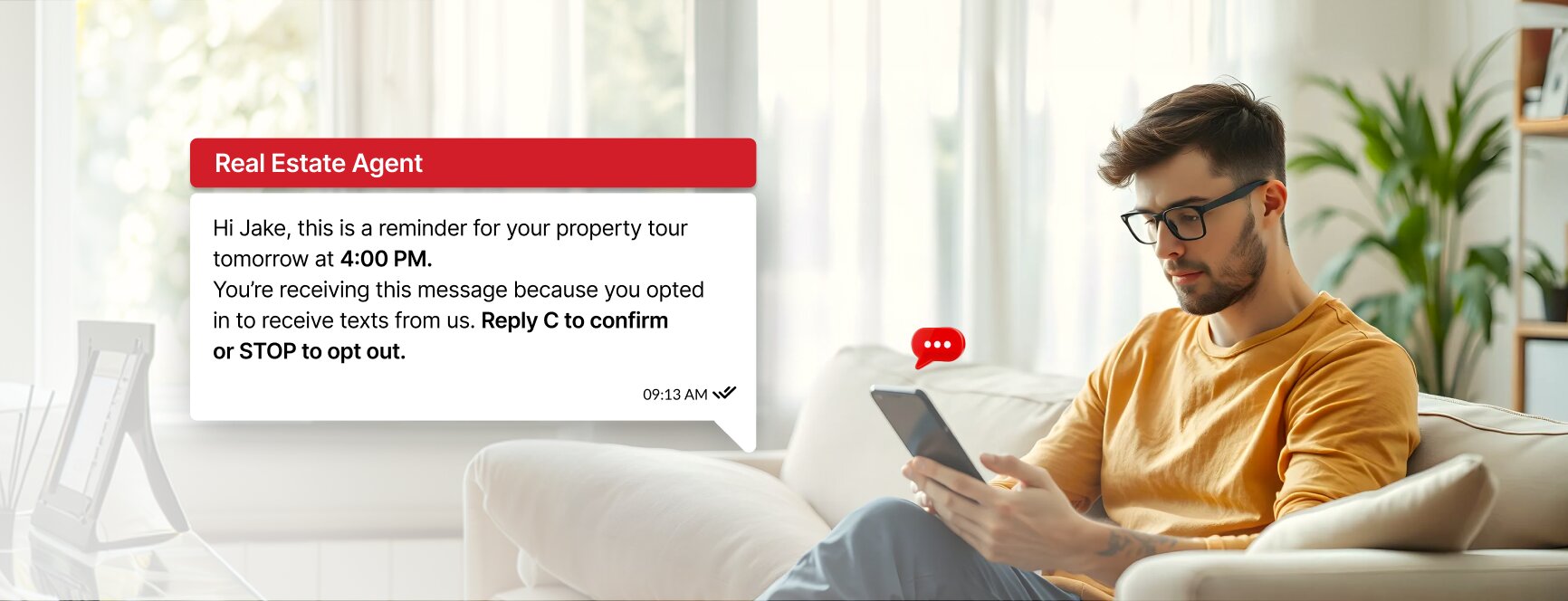
- Service and appointment businesses (healthcare, home services): scheduled reminders and confirmations with replies like “C to confirm” are the core.
- Developers and high-volume senders: an API, your own gateway and volume pricing matter more than the dashboard.
How much does a mass texting service cost?
Most services charge a monthly plan, a per-message or credit cost, or both. What you actually pay depends on how many messages you send, how long they are, whether you send MMS, and how many numbers and users you need.
Are there hidden fees with mass texting services?
Often, yes: the starting price rarely covers everything. Ask about these before you sign up:
- Per-message or overage charges once you pass the plan’s included volume.
- Long messages: a text over 160 characters (or 70 with an emoji or some special characters) is billed as two or more segments.
- MMS: picture messages usually cost more than plain SMS.
- Carrier and registration fees for 10DLC brand and campaign registration.
- Phone numbers and users: extra local numbers, toll-free numbers and seats.
- Setup, onboarding or premium support fees.
- Contract terms: annual commitments or cancellation fees.
For cost-cutting tactics at higher volumes, see our guide to the cheapest bulk SMS provider.
What Easify costs
Easify plans start at $99 a month (Premium), which includes 2 phone numbers free for life and 10 users. Enterprise is $199 a month with 15 users and adds email. Extra numbers are $2.50 a month, extra users $5 a month, and toll-free numbers $5 a month. Messaging runs on credits, explained on the credit details page, and 10DLC registration carries a one-time compliance fee: $100 if you send fewer than 6,000 SMS segments, or $250 for 6,000 or more. US plans are for US recipients. See the full breakdown on the pricing page.
Cheap mass texting is only cheap if your messages get delivered and your number stays in good standing. A low per-message price on an unregistered number that carriers block costs more than it saves.
How to send a mass text with Easify
- Start a free trial. Easify has a 7-day free trial with no credit card required.
- Get your number and register it. Your plan includes 2 phone numbers. Use the 10DLC registration support to register your brand and campaign before you send.
- Add your opted-in contacts. Use Easify’s list scrubbing to check which numbers are mobile and which are on the DNC list.
- Write or pick a template. Easify includes ready-to-use SMS, MMS and email templates, and its AI features help draft messages.
- Send now or schedule. Schedule SMS and MMS ahead, or set up automated workflows for reminders and follow-ups.
- Answer replies and track results. Reply in two-way conversations, get real-time notifications in the mobile app, and review SMS analytics for each campaign.
Try Easify free for 7 days and send your first mass text. No credit card required.
Mass texting rules: consent, opt-outs and timing
Mass texting is legal when you follow the rules, and the rules are where most new senders get into trouble.
- Get consent first. Federal law requires prior express written consent for marketing texts sent with an autodialer, and carriers expect written consent for every marketing text, so get it first. Keep a record of when and how each person agreed.
- No business exception. The TCPA has no business-to-business exception for texts to mobile numbers.
- Don’t text bought lists. If you buy leads, the consent has to cover texts from your business. Carrier rules (the CTIA Messaging Principles) don’t allow texting purchased, rented or shared lists: you need opt-in your own business collected.
- Make opting out easy. Include “Reply STOP to opt out” on marketing texts, and honor an opt-out sent by any reasonable means promptly, and never later than 10 business days.
- Service texts too. Put “Reply STOP to opt out” in the first text of any recurring program, service texts included, and in marketing texts every time. If a customer replies STOP, stop all texts unless they confirm they still want service notices.
- Mind the clock. Send marketing texts between 8am and 9pm in the recipient’s time zone. Florida limits them to 8am to 8pm and three messages per 24 hours on the same topic. Oklahoma has the same limits as Florida: 8am to 8pm, three per 24 hours on the same topic, though licensed insurance and real estate agents are exempt (following them is the safe default).
- Check Do Not Call lists. Check numbers against the National Do Not Call Registry and your internal DNC list before a campaign.
- Register before you send. Register your brand and each campaign before you send from a 10-digit number; carriers require it and block unregistered traffic.
Using a texting platform doesn’t make a campaign compliant on its own: the sender stays responsible for consent. Our TCPA checklist and TCPA compliance guide for text messages go into more detail.
This section is general information, not legal advice: check state rules with your compliance counsel.
Mass text message examples
Adapt these to your business. Replace the names and [link] with your own.
Appointment reminder (first text in a reminder program)
Hi Lisa, this is Bright Smile Dental. Reminder: your cleaning is Thursday at 3 PM. Reply C to confirm or call us to reschedule. Reply STOP to opt out.
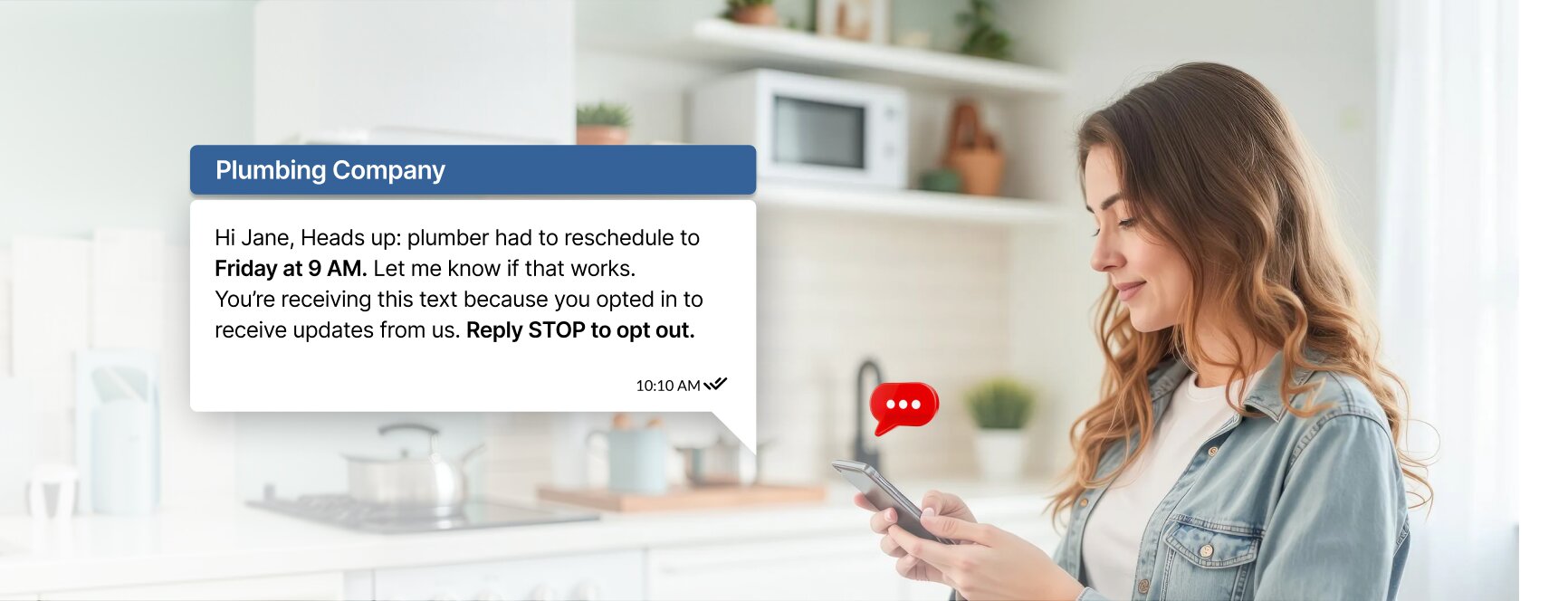
Schedule change
Hi Jane, it’s Rivera Plumbing. Your plumber had to reschedule to Friday at 9 AM. Reply YES if that works or NO and we’ll call you.
Event announcement
Oak Street Realty: Open house this Saturday, 10 AM to 2 PM at 789 Pine St. Reply INFO for the listing details. Reply STOP to opt out.
Payment reminder
Hi Marcus, this is Summit Fitness. Your membership payment is due on the 5th. Update your card here: [link]. Reply STOP to opt out.
Staff update
Team: the store opens at 11 AM tomorrow because of the delivery. Reply OK so we know you saw this.
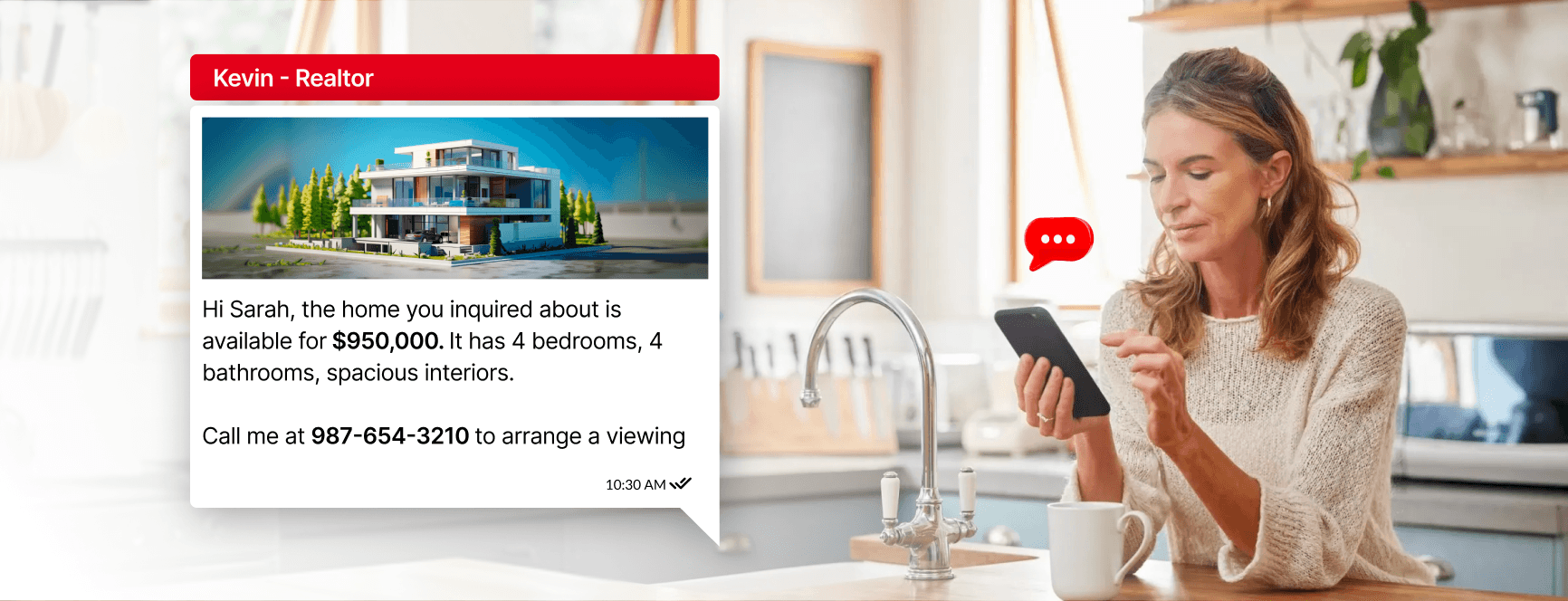
Reply to an inquiry, with a photo (MMS)
Hi Sarah, this is Kevin at Oak Street Realty. Thanks for asking about 14 Cedar Lane. It has 4 bedrooms and 4 baths. Want to book a viewing this week?
For more message ideas and timing advice, see SMS marketing best practices. If you’re deciding between plain text and picture messages, read SMS vs MMS.
Mass texting vs personal phones and messaging apps
- Volume: personal phones and consumer apps aren’t built to send hundreds of messages at once, and carriers filter bulk traffic from unregistered numbers.
- Opt-outs: a group chat has no opt-out list, so a STOP reply depends on someone remembering it.
- Privacy: a group text exposes every number to everyone in it. A mass text doesn’t.
- Reporting: you can’t see who received a group message or who failed.
- Credibility: a text from your business number reads better than one from a personal cell.
Common mass texting mistakes
- Texting a list you bought or a contact list from an old CRM with no record of consent.
- Sending before your 10DLC brand and campaign are registered.
- Leaving out your business name, so recipients don’t know who is texting.
- Texting too often. Agree on a frequency in your sign-up wording and stick to it.
- Sending at 7am or 10pm local time.
- Promising rates, savings or approvals in regulated industries such as insurance and lending.
- Ignoring replies. People answer mass texts, and an unanswered question costs you the customer.
FAQs on mass texting services
What is the best mass texting service for a business?
The one that matches your volume and use: clear all-in pricing, help with 10DLC registration, two-way replies, opt-out handling, scheduling and reporting. Shortlist two or three services, compare them with the table above, and run the same test campaign on each free trial.
Are there hidden fees with mass texting services?
Often. Watch for overage charges, long messages billed as several segments, higher MMS prices, carrier registration fees, extra numbers and users, setup fees and annual contracts. Ask for the cost at your usual monthly volume in writing.
Is there a free mass texting service?
Not for ongoing business use: carrier and registration costs make truly free mass texting rare. Most services offer a free trial. Easify’s is 7 days with no credit card required.
Can I send mass texts to anyone?
No. Send marketing texts only to people who gave you written consent, honor opt-outs, and don’t text purchased lists.
Is mass texting legal?
Yes, with consent, a working opt-out and marketing texts sent between 8am and 9pm in the recipient’s time zone (8am to 8pm in Florida and Oklahoma). Carriers also require 10DLC registration before you send from a 10-digit number.
How many people can I text at once?
It depends on your plan, credits and carrier throughput for your registered campaign. Start with a small segment, check delivery and replies, then send to the full list.
Can people reply to a mass text?
Yes, with a two-way service. Each reply comes back only to you, not to the other recipients.
Conclusion
A good mass texting service gets the right message to opted-in contacts, lets them reply, and shows its full cost up front. Compare services on price at your real volume, registration help, two-way texting and opt-out handling, and test them on real work before you commit.
Start your 7-day Easify trial: plans from $99 a month, no credit card required to try.
Prefer a walkthrough first? Book a free demo with the Easify team.