Text and call customers from your own business number
Turn any Android phone into a business SMS and calling gateway. Run campaigns, place and answer calls, and keep every conversation in one dashboard, all through the SIM you already have.
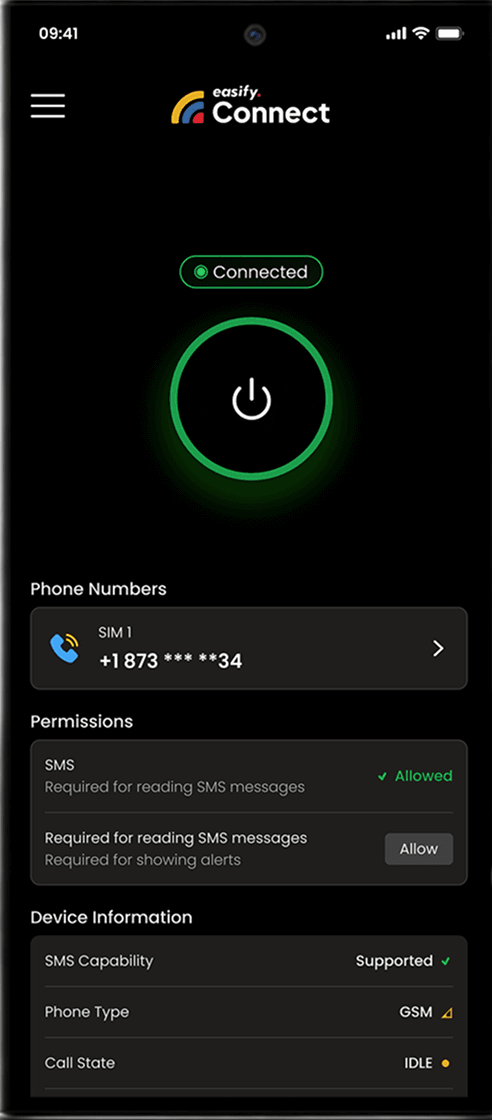
What is Easify Connect?
A mobile app that turns your Android phones into a professional SMS and voice
gateway, connected to your Easify dashboard.
Easify dashboard
Campaigns, inbox, click-to-call
Your Android phone
Your SIM, your number
Your customers
Text and call you back
SMS + Voice in One Number
Customers can text you and call you on the same number, and you can call them back from the dashboard.
No Costly APIs or Hardware
Skip telecom APIs and gateway hardware. Your phone does the work.
Quick Setup via QR Connect
Install the app, scan a QR code from the dashboard, and you're live.
All-in-One Communication Control
Marketing texts, transactional alerts and calls, managed in one place.
More than an SMS gateway
Easify Connect started as an SMS gateway. Now the same phone and number handle your calls too.
Why Choose Easify Connect?
With Easify Connect, you can transform an Android smartphone into an efficient SMS + Call gateway powered by your own SIM and number, reducing reliance on costly messaging solutions.
Massive Cost Savings
High-volume senders can cut messaging costs by using their existing plan.
Your Numbers, Your Trust
Texts and calls come from a real local number, not an unknown short code.
Instant Setup
Scan, grant permissions, and start texting from your own number in minutes.
Works Everywhere
If your SIM can text there, Easify Connect works there. Calling is only available on US numbers for now.
How it Works
Get started with Easify Connect in minutes with a quick and easy setup. Follow a few simple steps to transform your Android device into a reliable SMS + Call gateway, and send business messages and calls using your own SIM and phone number.
Download & Install
Download & Install Easify Connect .apk on any Android device running Android 7.0 or higher.
Scan & Connect
Open your Easify dashboard, generate a QR code and scan it. Pairing is instant, with no manual setup.
Grant Permissions
Allow SMS, Phone and Call Log access and set Easify Connect as your phone app. Used only for your Easify texts and calls.
Text & Call
Launch campaigns, reply to messages, or tap a contact to call, all from the dashboard through your phone.
Smart Features for Faster Conversations
A powerful set of features designed to help you send campaigns faster, manage messages effortlessly, and stay in full control across devices.
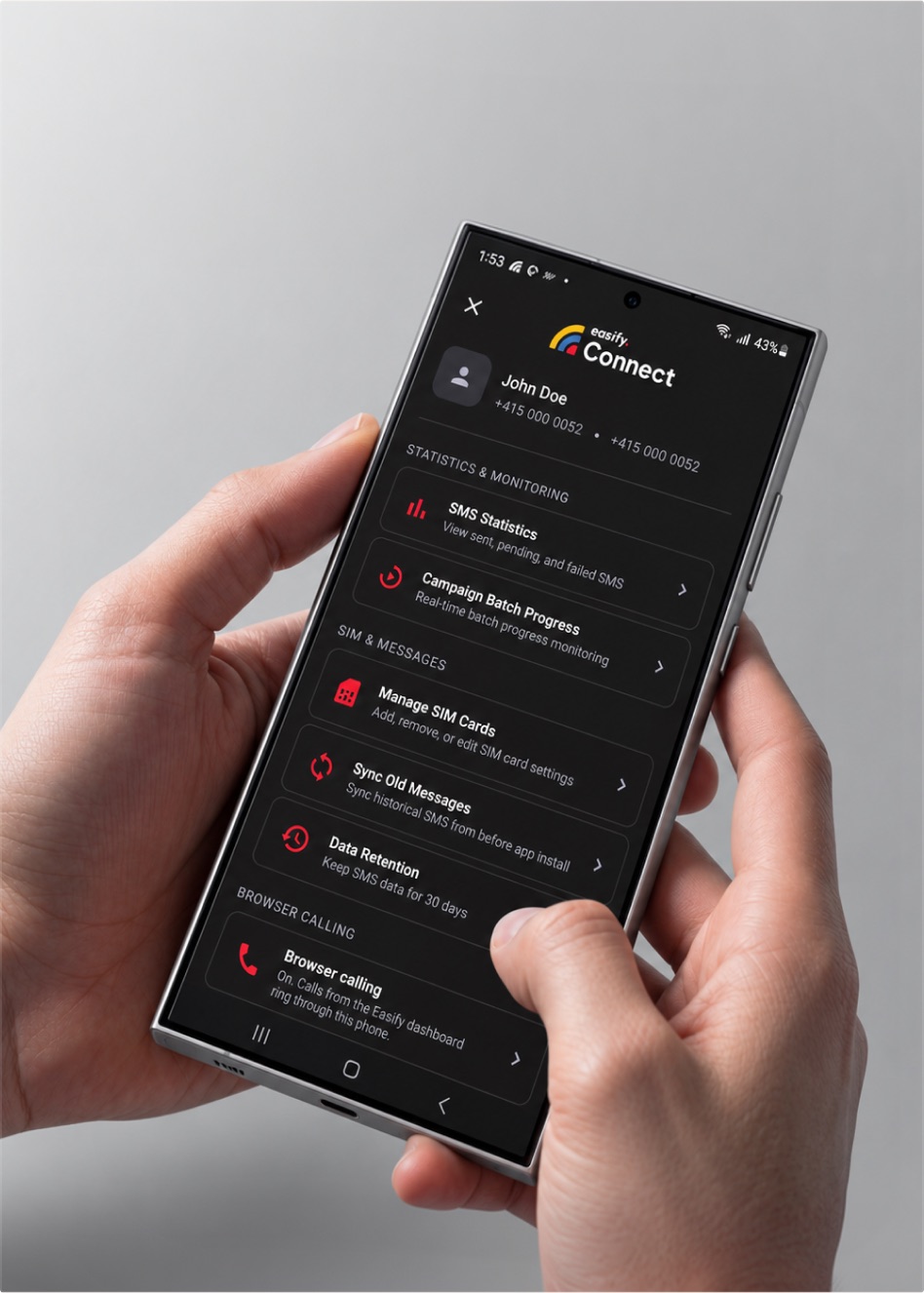
Use multi-SIM and multi-device support to send campaigns faster and smarter. Assign SIMs per campaign, balance carrier loads, and automatically distribute messages across connected phones to dramatically reduce delivery time.
Perfect for Every Industry
One number for every follow-up text and every call back.
Marketing Agencies
Run campaigns for each client on a dedicated number and take the calls those campaigns generate.
Retail Businesses
Send promotions and sale alerts, then answer order questions by phone.
Healthcare Providers
Send appointment reminders by text and confirm or reschedule with a quick call.
Educational Institutions
Send schedules and exam alerts to students, and call parents directly when it matters.
Enterprises
Handle internal and customer communication, by text and by voice, from one dashboard.
Startups
Get enterprise-grade texting and a real business line without extra telecom contracts or hardware.
Technical Specifications
Review the details below to understand how the platform works, with essential technical information on behavior, performance, and operational requirements.
- Minimum Android Version
- Android 7.0 or higher
- SIM Support
- Single, Dual & eSIM
- Message Types
- Send: SMS | Receive: SMS, MMS & RCS
- Voice Calls NEW
- Outbound click-to-call & inbound call handling via device SIM
- Call Logging NEW
- Direction, duration & status synced to dashboard
- Background Operation
- Yes, via foreground service
- Offline Capability
- Messages queue while offline and send on reconnect
- Battery Optimization
- Intelligent wake locks, minimal drain
Frequently Asked Questions
Everything you need to know about Easify Connect
Yes. Tap call on any contact in the dashboard and the connected phone places the call on your SIM. Incoming calls will ring in the dashboard and your mobile app, where agents can answer them, and missed calls can trigger an automatic SMS reply. (Works on US numbers only)
Your phone is now your business line
Texts, campaigns and calls, all on the number your customers already know.